Help
Set up from your website
Read your website, confirm your brand, company details, what you sell with prices, cases and team, or fill it all in by hand.
Updated
On this page
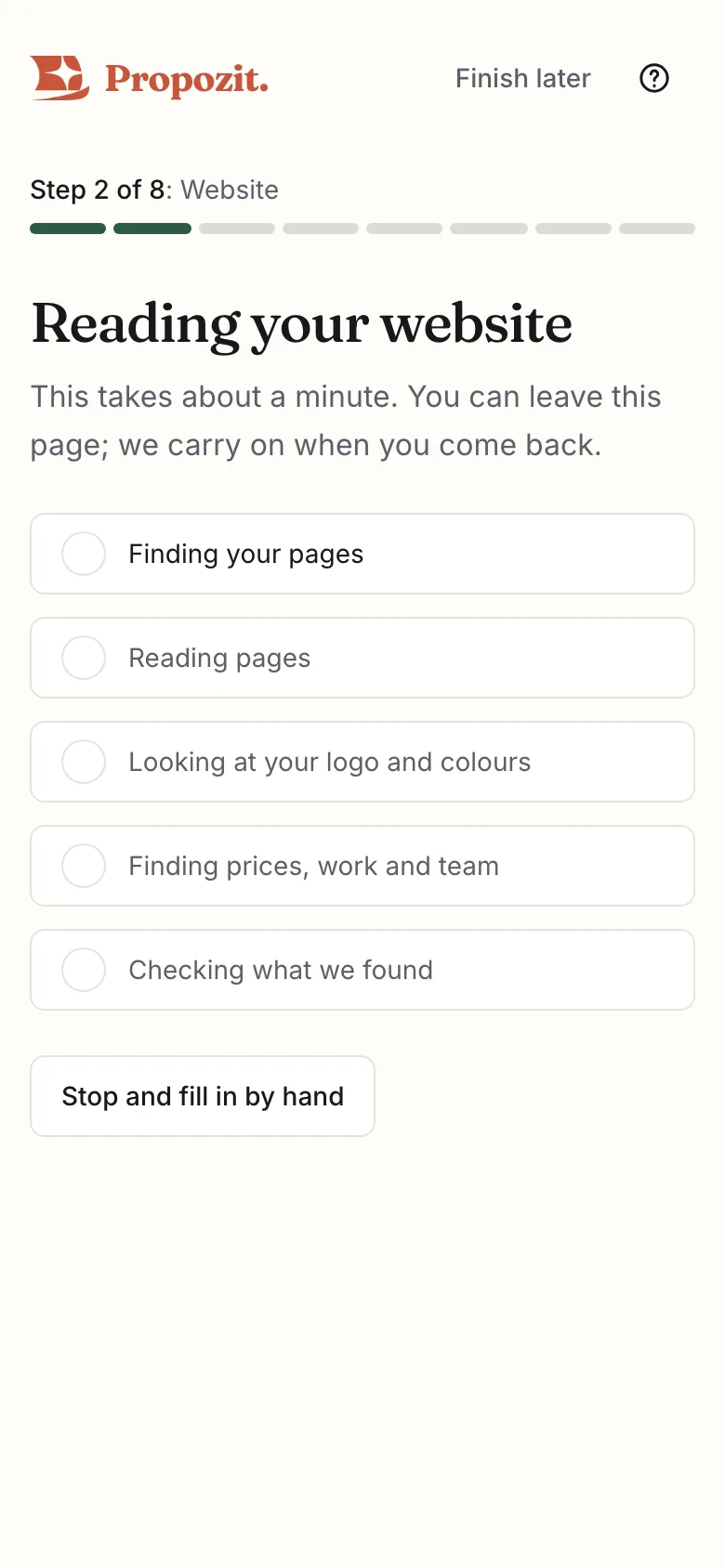
When you create your organization with a website address, Propozit reads that website and suggests the settings your proposals need. You confirm each one on a few short screens. The step bar at the top shows where you are, such as Step 3 of 8. Nothing is saved until you select Save and continue.
What we read
Propozit reads up to 10 public pages of your site, the way a search engine does, such as your home, pricing, work, team and contact pages. It respects your site's robots.txt and stays on your own domain. It never logs in, fills in forms or follows links to other websites. Reading takes about a minute, and carries on if you leave the page.
Two AI services help: one reads the text of your pages to find details such as a price written in a sentence, and another ranks what was found. Every suggestion is copied from your own pages: anything not on your site is dropped, and prices are never guessed. For now, the one that reads your page text is Claude by Anthropic, through Anthropic's API, which processes that text in the United States. Anthropic does not train on it, and we plan to move to an EU provider. The privacy page lists the providers and where they run.
How often you can read
You can read a website 3 times a day per organization (and 5 times a day per person), so a typo doesn't use up the AI. Read again and Try a different page each count. At the limit, the screen explains this and gives the time you can read again, in your own time zone, such as "You can read again after 14:32".
If you go back to the first screen after a reading, it says "We read northwind.test on …" with the date. Use what we found goes back to your brand without reading again, so it does not count. Read again reads your site again. Fill in by hand keeps what was found, such as your logo and colours, for you to change.
Your brand
Pick your logo from the images found on your site; the one you pick gets a tick. Then pick your Main colour (headings, buttons and dark slides) and Second colour (small titles and highlights) from your site's colours, or tap the colour square or type a hex code such as #1f2a44. Your fonts are matched to the closest of ours, and the preview shows your cover as you change things. If your logo is an SVG file, upload it as a PNG instead.
More colours holds the Background (light slides and the page behind the deck) and Text (body text on light slides). Most brands keep white and near-black. A small light slide beside them shows the result.
Your company details
Check your legal name, address, VAT and registration numbers, email and phone. They appear on your proposals and the signed PDF. Legal name is your company's registered name, as on invoices. Each suggestion says where it was found, such as "Found on your website (/contact)", and adds "Please check: we weren't sure about this one." when Propozit was unsure.
What you sell
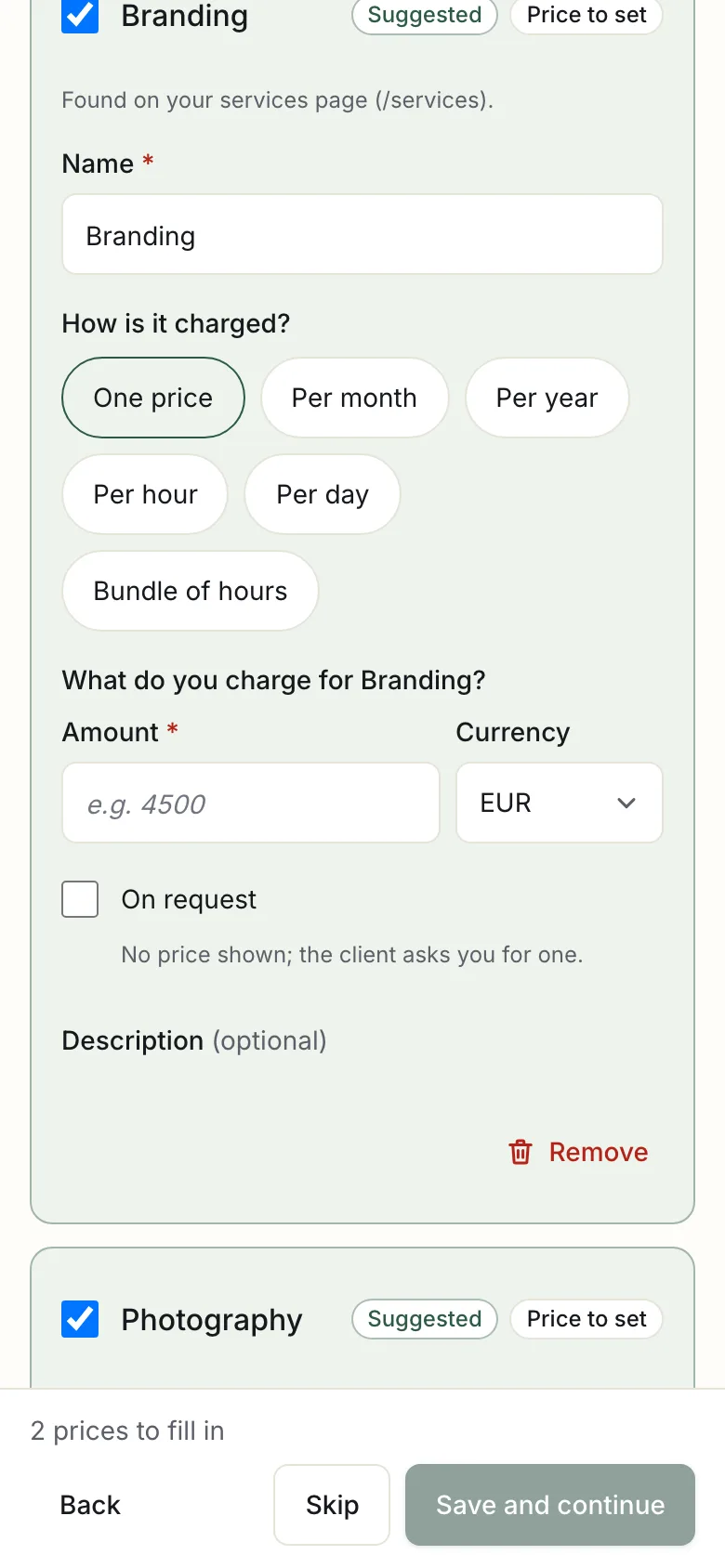
This screen matters most: your proposals are built from this list. Each card is a product or service found on your site, with its price and how it is charged, such as one price, per month or per hour.
- Keep what you offer and untick the rest, or select Remove to take a card off the list.
- For anything without a price, Propozit asks What do you charge for …? Fill in an amount, or choose On request: no price is shown, and the client asks you for one. You can only continue when every kept card has one.
- A price your site shows "from" is kept as the starting price.
- For prices in another currency, keep it or enter the price in your own currency.
If no prices were found, use Try a different page: enter the address of your prices page, such as yoursite.com/prices, and select Read this page. Propozit reads only that page, on your own website.
Your work and your team
Keep the cases you want to show clients, and edit their summaries. Each case needs a title. Your team becomes a team slide you can add to any proposal.
You're set up
The last screen, What you entered, lists everything with Edit links.
Without a website
If you have no website, or it cannot be read, the same screens open empty and you fill them in by hand.
Running it again
In Settings → General, select Read my website again. What you saved before stays unless you pick a suggestion, and products already in your price list are shown as such.
Related
- Create your account and organization Create your account with a code sent by email, then set up your organization, its VAT rates and how you speak to clients.
- Set up your brand Upload your logo, set four colours and two fonts, and watch the deck preview change as you edit.
- Your first proposal in eight steps Templates per type of work, up to eight steps, options and prices from your price list, payment plans, the checks, and your own standards.
Proposals your clients actually say yes to
Propozit is free to start, with no card needed. Create your account today and see the plans on the pricing page.